Linter & Formatter & Code Quality Tools
Here we'll introduce the linter, formatter and code quality tools used in the project. We won't introduce the tools in detail, but just give a brief introduction and some examples, which are extracted from the official docs.
Ruff and ty (Recommended)
Swiss Army Knife :-)
PyCon US 2023 - An Overview of the Python Code Tool Landscape 2023
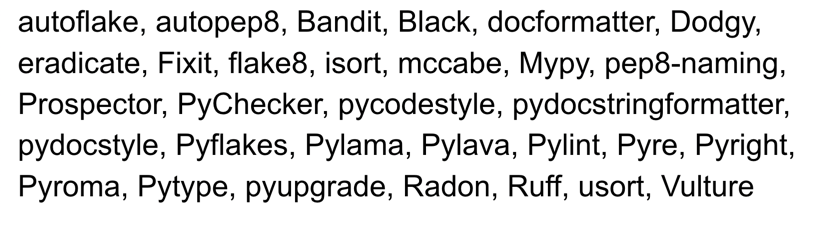
There are a few of them out there. I really didn't understand what I was getting myself into. I had heard of some of them, but many of them have similar names and some I had never heard of, and I found the whole thing really confusing. - Al Sweigart
The tools' categories
We use the categories from Al Sweigart's overview of the Python code-tool landscape.
PEP8 -> pycodestyle
pep8 was renamed to pycodestyle
pycodestyle is a tool to check your Python code against some of the style conventions in PEP 8... This package used to be called pep8 but was renamed to pycodestyle to reduce confusion. - pycodestyle doc
- PEP 8 – Style Guide for Python Code
- pycodestyle (formerly called pep8) - Python style guide checker
We wouldn't use the pycodestyle package directly
We wouldn't use the pycodestyle package directly,
but we would use the flake8 package which is a wrapper around pycodestyle,
and it also includes other tools like pyflakes(static analysis tool) and mccabe(complexity checker).
Isort: Style Linter for Import Statements
isort your imports, so you don't have to.
isort is a Python utility / library to sort imports alphabetically, and automatically separated into sections and by type. It provides a command line utility, Python library and plugins for various editors to quickly sort all your imports. It requires Python 3.7+ to run but supports formatting Python 2 code too. - isort doc
The example from isort doc is very clear:
Before isort:
from my_lib import Object

import os

from my_lib import Object3

from my_lib import Object2

import sys

from third_party import lib15, lib1, lib2, lib3, lib4, lib5, lib6, lib7, lib8, lib9, lib10, lib11, lib12, lib13, lib14

import sys

from __future__ import absolute_import

from third_party import lib3

print("Hey")
print("yo")
After isort:
from __future__ import absolute_import

import os
import sys

from third_party import lib1, lib2, lib3, lib4, lib5, lib6, lib7, lib8, lib9, lib10, lib11, lib12, lib13, lib14, lib15

from my_lib import Object, Object2, Object3

print("Hey")
print("yo")
Flake8: Error & Style Linter, Complexity Analysis
For example, we have a file hello.py:
After running flake8 hello.py, we got the following result:
hello.py:1:6: E211 whitespace before '('
hello.py:1:8: E201 whitespace after '('
hello.py:1:23: E202 whitespace before ')'
hello.py:1:25: W292 no newline at end of file
Break code style is easy in Python
We got four code style mistakes in a one line hello world code.
We can see that the flake8 only check the code style, but not fix it.
Later, we'll show how to use black to fix the code style automatically.
Black: Code Formatter
Black
Black is a PEP 8 compliant opinionated formatter with its own style.
Use black is simple, just run black . in the project root directory.
We can also use black on single file, just run black hello.py.
With the file hello.py:
After running black hello.py, the code style is fixed:
Meantime, black also give us a statistics log:
Ruff: Linter & Formatter
As just mentioned before, many people recommend to use Ruff, because it's a very cool tool.
- It's VERY fast.
ty: Type Checker
ty is an extremely fast Python type checker written in Rust, from the creators of Ruff.
greeting
A function without type annotations is considered to be dynamically typed:
By default, ty will not type check dynamically typed functions.After running ty check hello.py, we get type errors for incorrect usage.
prek
prek manages repository hooks with a native TOML configuration. This template uses its built-in Rust hooks for file hygiene and local project tools for Ruff and ty, so it does not clone remote hook repositories or create separate hook environments.
prek configuration
[[repos]]
repo = "builtin"
hooks = [
    { id = "check-toml" },
    { id = "check-yaml" },
    { id = "end-of-file-fixer" },
    { id = "trailing-whitespace" },
    { id = "mixed-line-ending", args = ["--fix=lf"] },
]

[[repos]]
repo = "local"
hooks = [
    { id = "ruff-check", name = "ruff check", entry = "uv run ruff check", language = "system", types_or = ["python", "pyi"] },
    { id = "ruff-format", name = "ruff format", entry = "uv run ruff format", language = "system", types_or = ["python", "pyi"] },
    { id = "ty", name = "ty check", entry = "uv run ty check", language = "system", pass_filenames = false, always_run = true },
]
Install the Git hooks and check the whole repository:
SonarLint
SQLFluff
SQLFluff is a linter for SQL code.
SQLFluff
SQLFluff is an open source, dialect-flexible and configurable SQL linter. Designed with ELT applications in mind, SQLFluff also works with Jinja templating and dbt. SQLFluff will auto-fix most linting errors, allowing you to focus your time on what matters. - SQLFluff doc